
October is about trusting the numbers. A margin is only as good as the scrap, labor and material behind it, so we closed the gaps between what happens on the floor and what shows up on the report. Late in the month we turned to the shop floor: one job clock everywhere, material that goes back on the shelf, and a view of shift hours for owners who want it.
- New
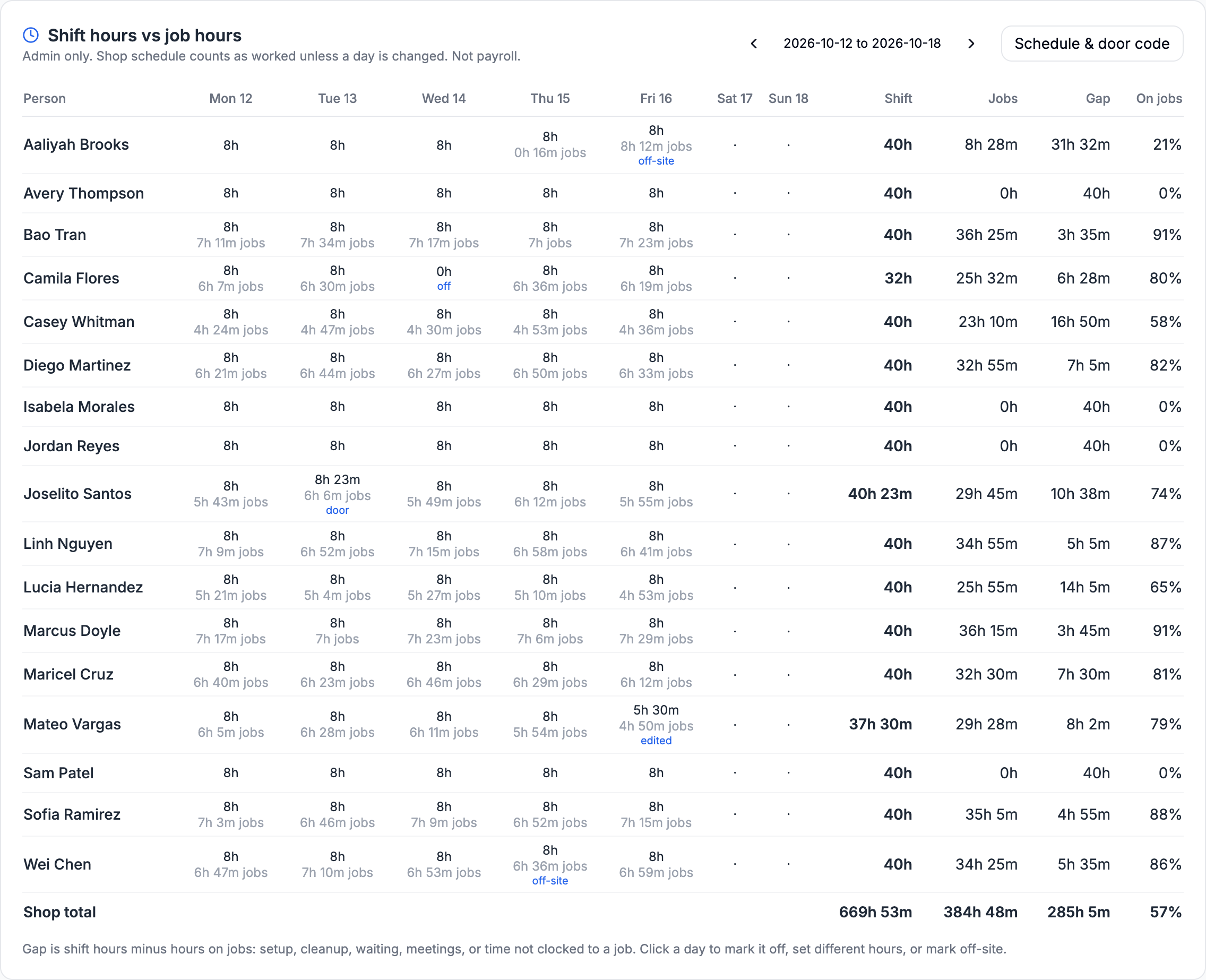
Shift hours next to job hours
Optional, and only admins see it. Set your shop's weekly hours once and see each person's shift hours beside the hours they put on jobs, so you can tell where time goes. Nobody clocks in, and it isn't payroll.
- New
Door QR and off-site days
Post a QR code at the door and anyone who scans records their real arrival and departure for that day. A crew working off-site says so in the app, with the job. No location is ever read.
- Better
One clock for the job you're on
Phone and desktop timers now show the same number: your time on the current job today, earlier stints included. Starting a job no longer needs a clock-in step.
- New
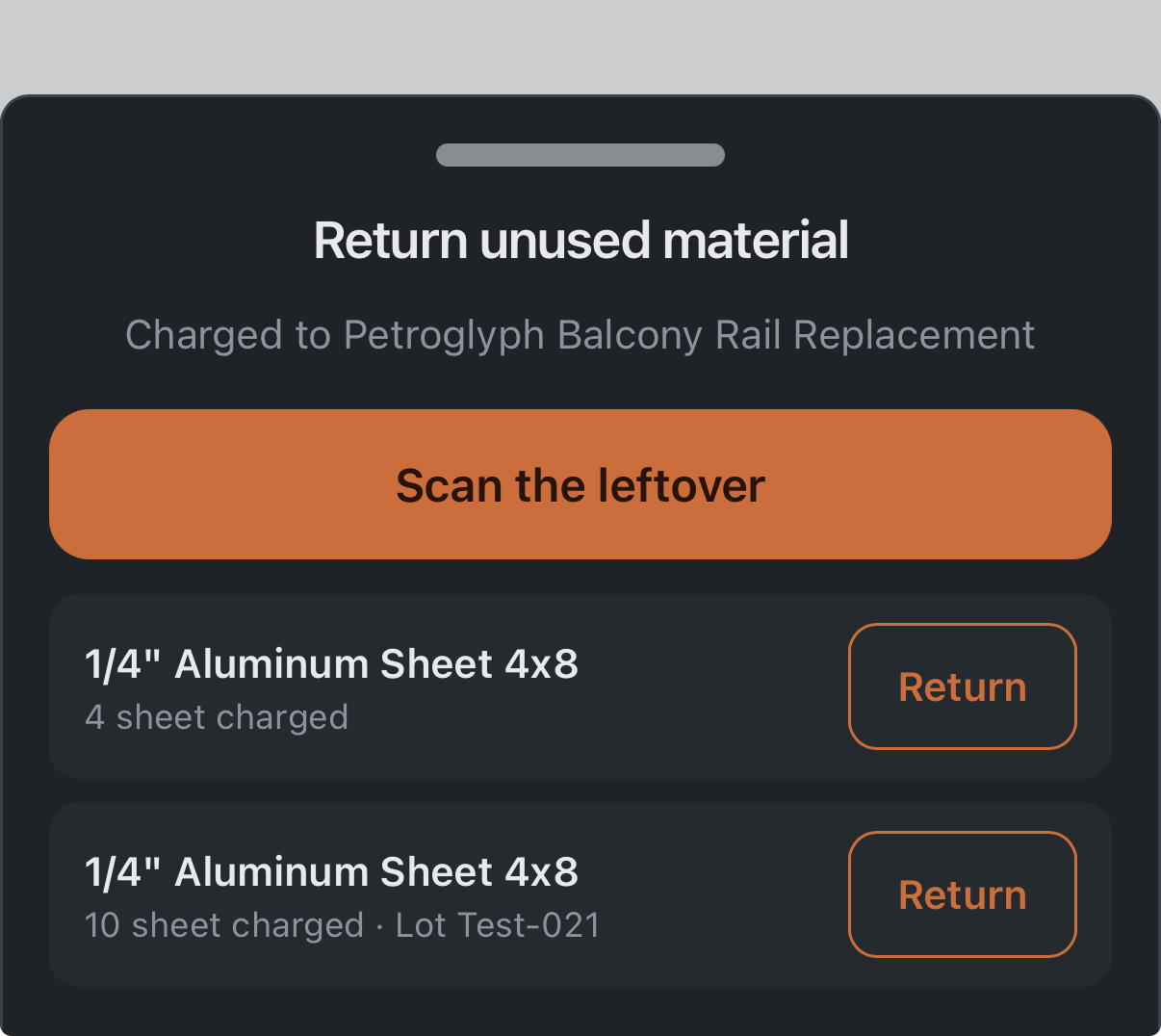
Put unused material back
Scan the leftover on the phone and return it to stock. The job's material cost drops, the shelf count goes back up, and the lot trace follows it.
- Fixed
Stock counts that agree everywhere
Receiving, charging and returning material now all feed one running total, so the inventory screens show the same count instead of two that could drift apart.
- New
See the lot on each purchase order line
Once a line is received, the purchase order shows which lot came in and how many.
- New
Scan to charge from the desktop
A job's Materials tab now has Scan to charge. Use a USB barcode scanner or the webcam, then pick the quantity and lot, just like on the phone.
- Better
Screens always start at the top
Switching screens scrolls to the top and eases the page into view, so a page never lands half-scrolled and looks blank.
- Fixed
Confirmations you can read
Messages like "Now tracking" no longer slip under the phone's status bar or the app header.
- Better
A dashboard that gets to the jobs
A fabricator's five dashboard numbers now sit in one row, so the jobs come into view sooner.
- New
Trace a problem back to its supplier
Every material charge now remembers which supplier it came from. Open a job and see which suppliers' material went into it, so a weak joint can be traced back to the source.
- New
Lot and batch numbers, only if you want them
Turn on lot tracking and enter the lot, heat or grade-stamp number when material arrives, with an optional photo of the cert or stamp. Works for lumber bundle tags too. Flag a bad lot and see every job that used it.
- New
Scan a barcode to find or charge material
Scan a supplier's barcode on any phone to pull up the item and charge it to a job. Don't recognize a barcode yet? Anyone can link it to an item, and a manager reviews it. One item can carry several barcodes, one per supplier.
- New
Print QR labels at the size you need
Print QR codes for machines and work areas on one sheet, at 1, 2, 4 or 6 inches, with the space names you choose.
- Fixed
Receiving a purchase order now updates stock
Marking a purchase order received only changed its status. You can now receive each line, and the quantity lands in inventory with its supplier and lot.
- New
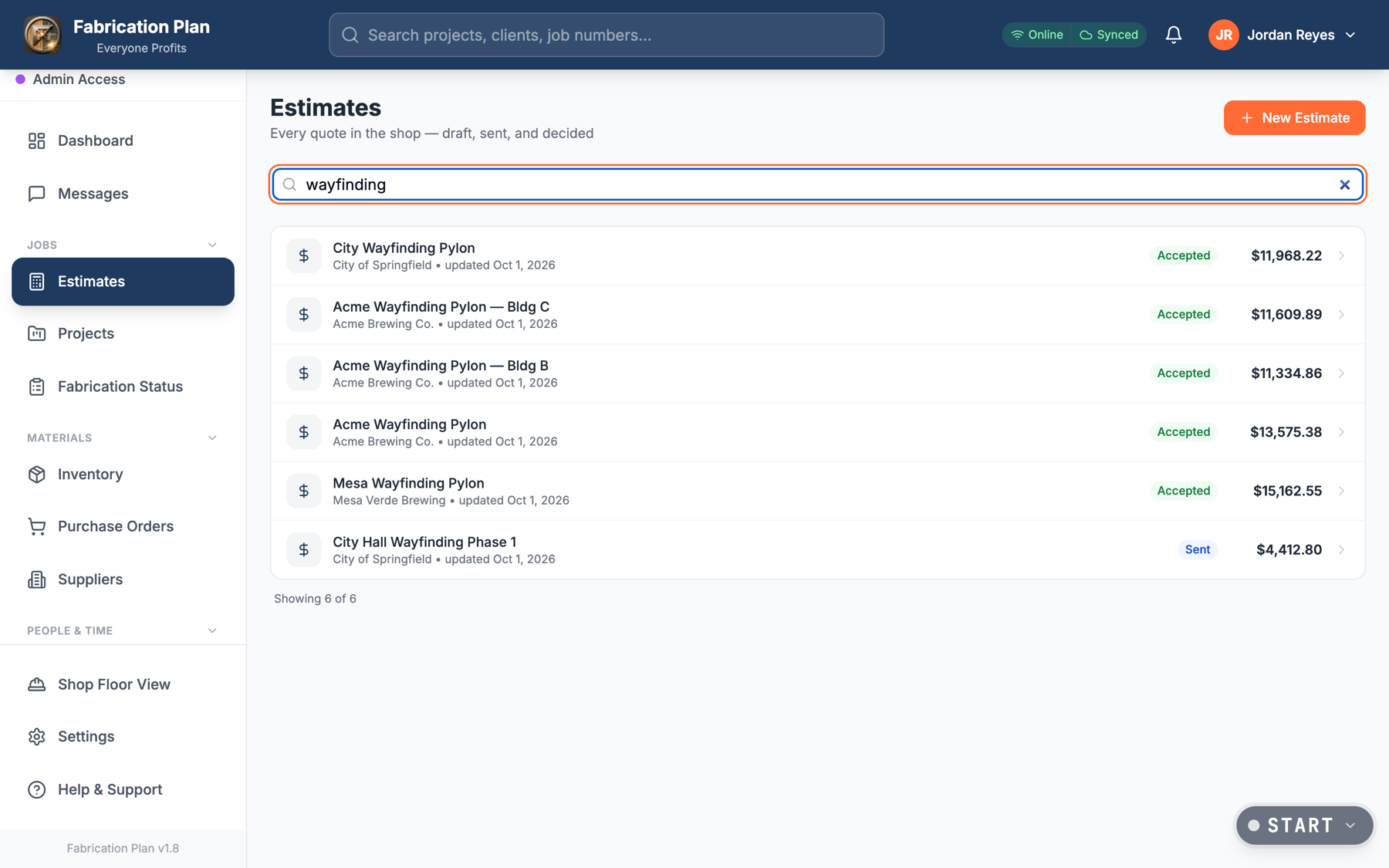
Search every quote you've sent
Find any estimate by job, client, description or PO number, however far back it goes. The list loads 50 at a time, so years of quotes stay quick.
- New
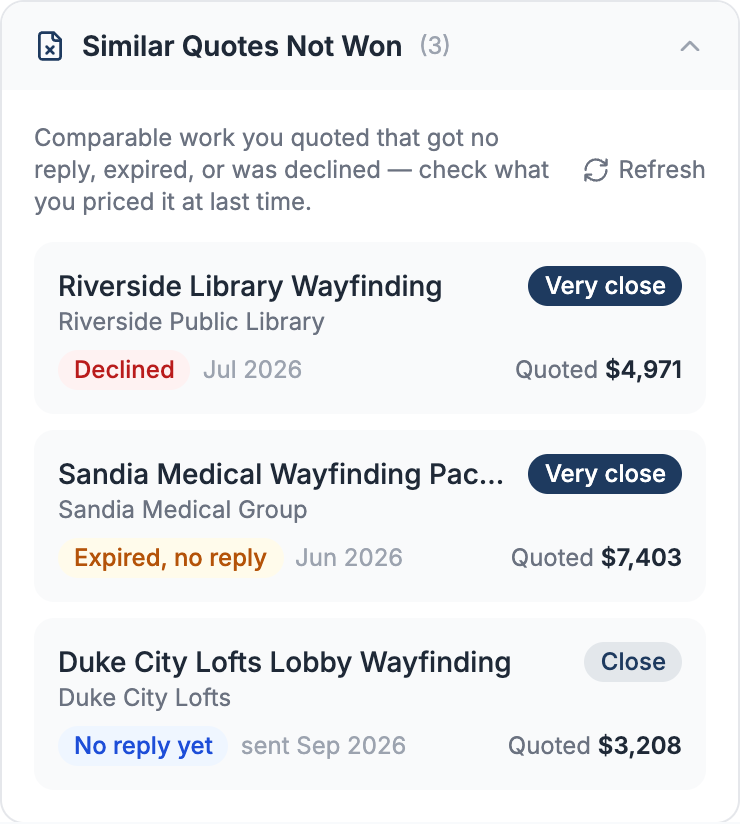
Similar quotes you didn't win
While you price a job, see comparable quotes that were declined, expired or never answered, and what you quoted. Don't lose the same job twice at the same price.
- New
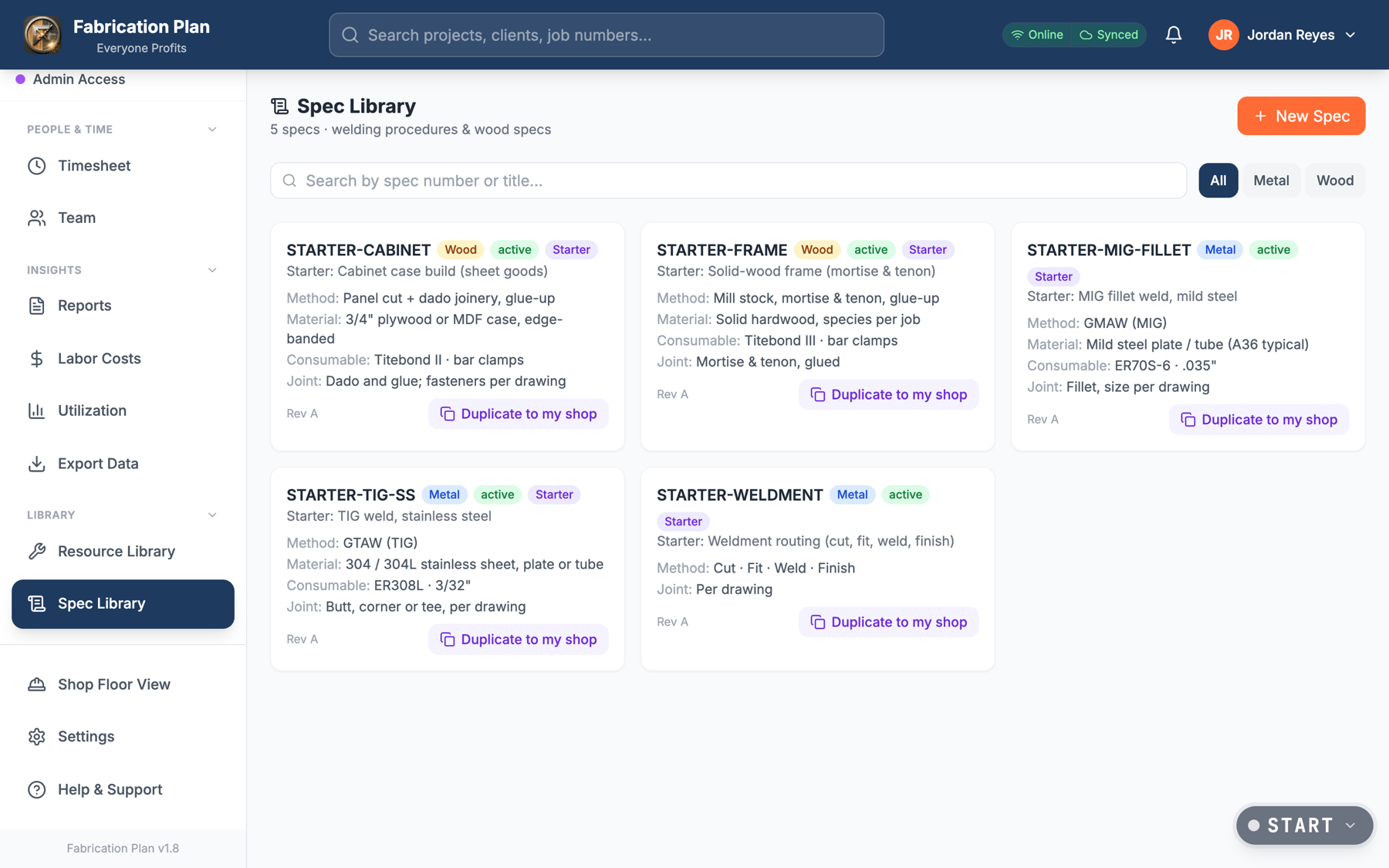
Starter specs to build from
Spec Library now comes with five starters: MIG fillet, TIG stainless, a weldment routing, a cabinet case and a mortise-and-tenon frame. Copy one to your shop and make it yours.
- Fixed
Reports that left out costs
Reports, the owner's financial summary and exports used a cost figure that could go stale and skipped outside processing. They now use each job's true cost.
- Fixed
Spec edits that didn't stick
Some specs showed Edit and Archive buttons that did nothing, and saving a spec while its steps were still loading could erase them. Both are fixed.
- Security
Only an admin can make an admin
Managers still run the team, but only a shop admin can hand out admin access. Pay rates, approvals and active status can only be changed by an admin too.
- Reliability
Built for years of history
The schedule, inventory history and quote pipeline now count every record, however busy the shop gets. "Won this month" follows your shop's time zone.
- Fixed
Complete data exports
Exporting your shop's data stopped at 1,000 rows per table, without a warning. Exports now include every row, and they'll tell you if anything is ever cut short.
- Fixed
Admins who wear more than one hat
If an admin's main role was set to something else, like manager, a few admin-only actions such as billing turned them away. Every role you hold now counts.
- Better
Clearer when you're signed out
If your session ends, pages now say "Sign in to view" instead of a technical error.
- Security
Money stays with the people who need it
Fabricators no longer see costs or margins. They see the work, while owners and office staff see the numbers.
- New
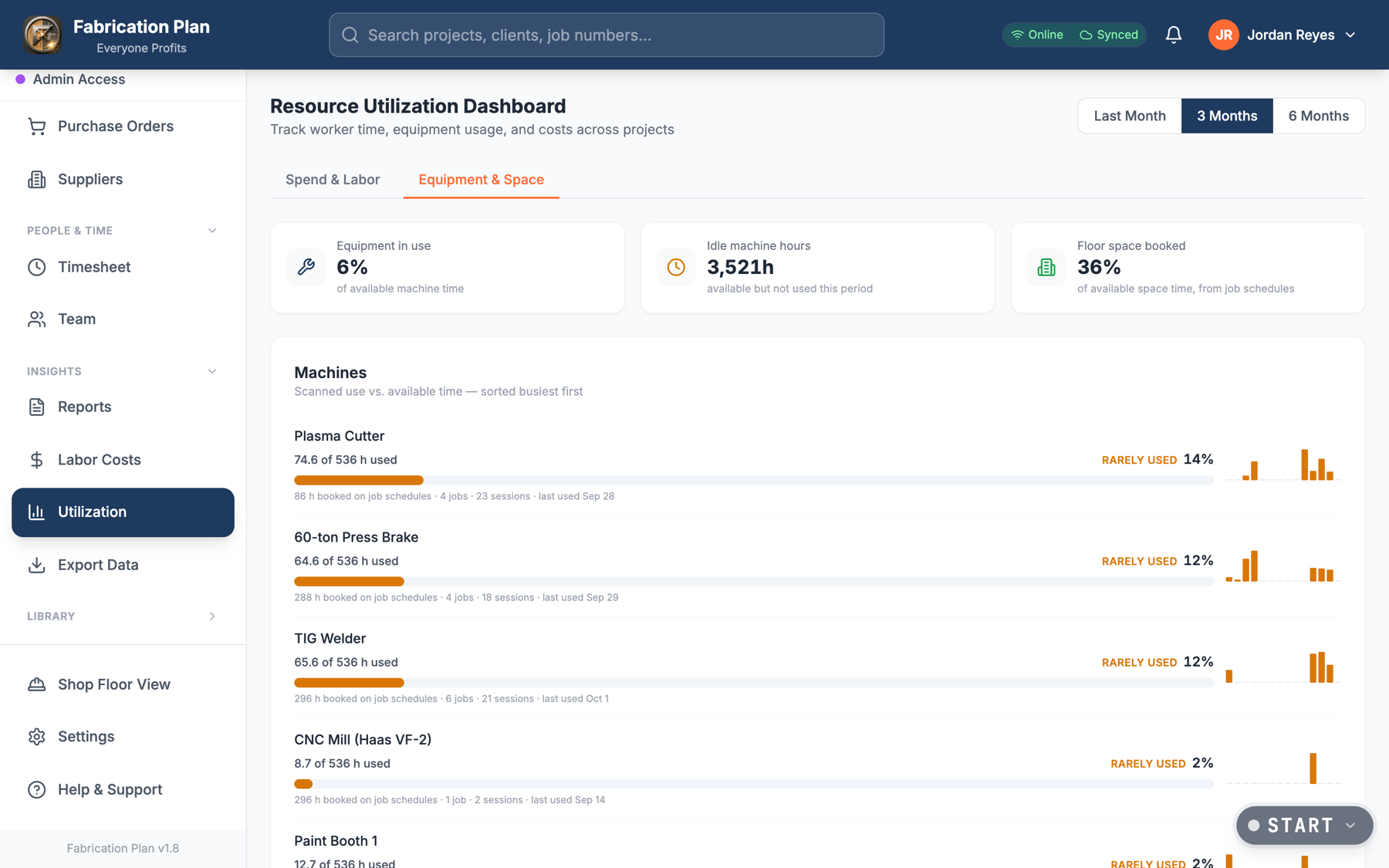
Equipment and space utilization
See how busy every machine and work area really is, so you know when to add a shift and when equipment is sitting idle.
- Fixed
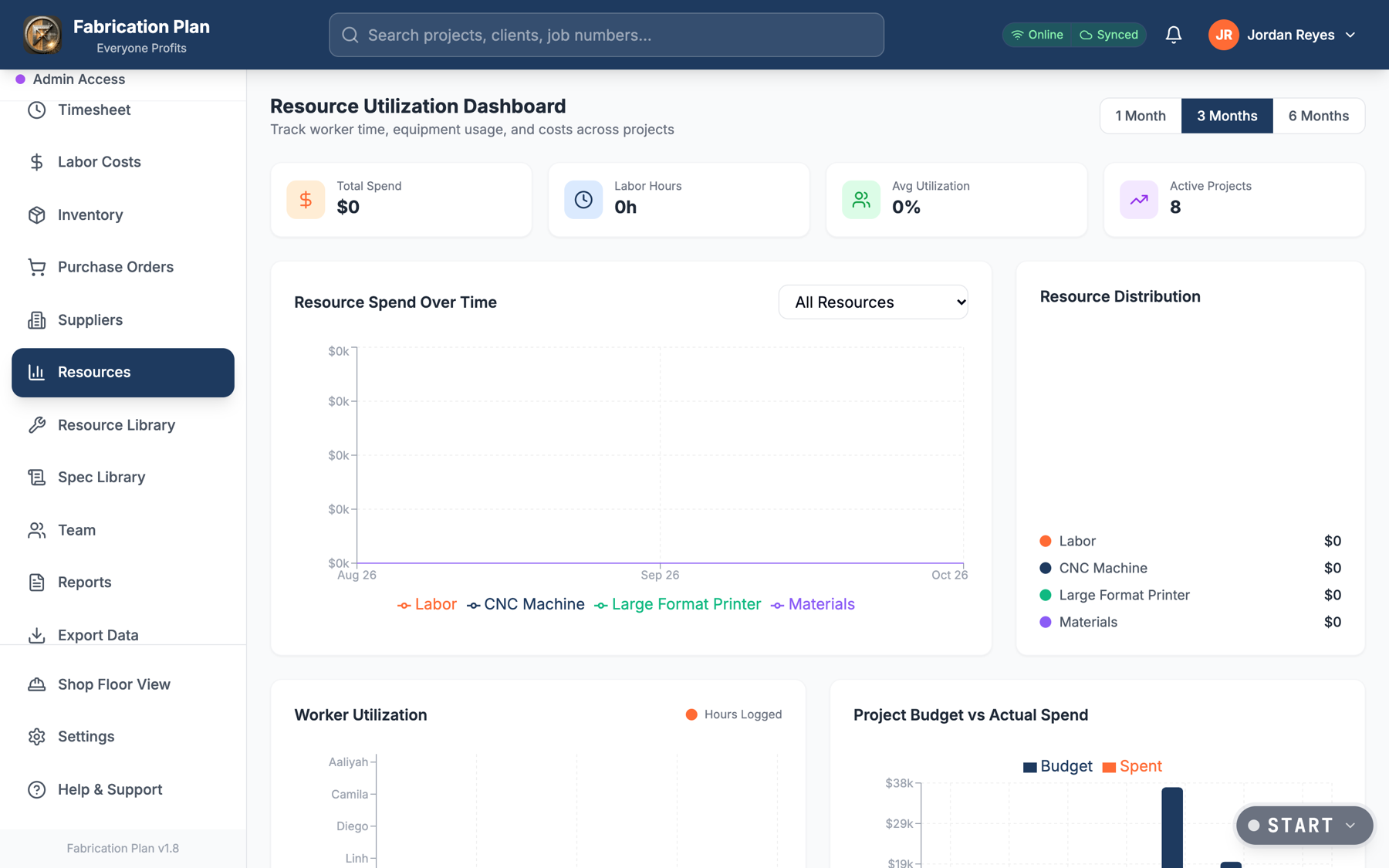
Utilization and margin that showed the wrong numbers
The utilization page showed $0 and 0% even for a busy shop, and the overall margin could read negative. Both now read your real time and material data.
Before 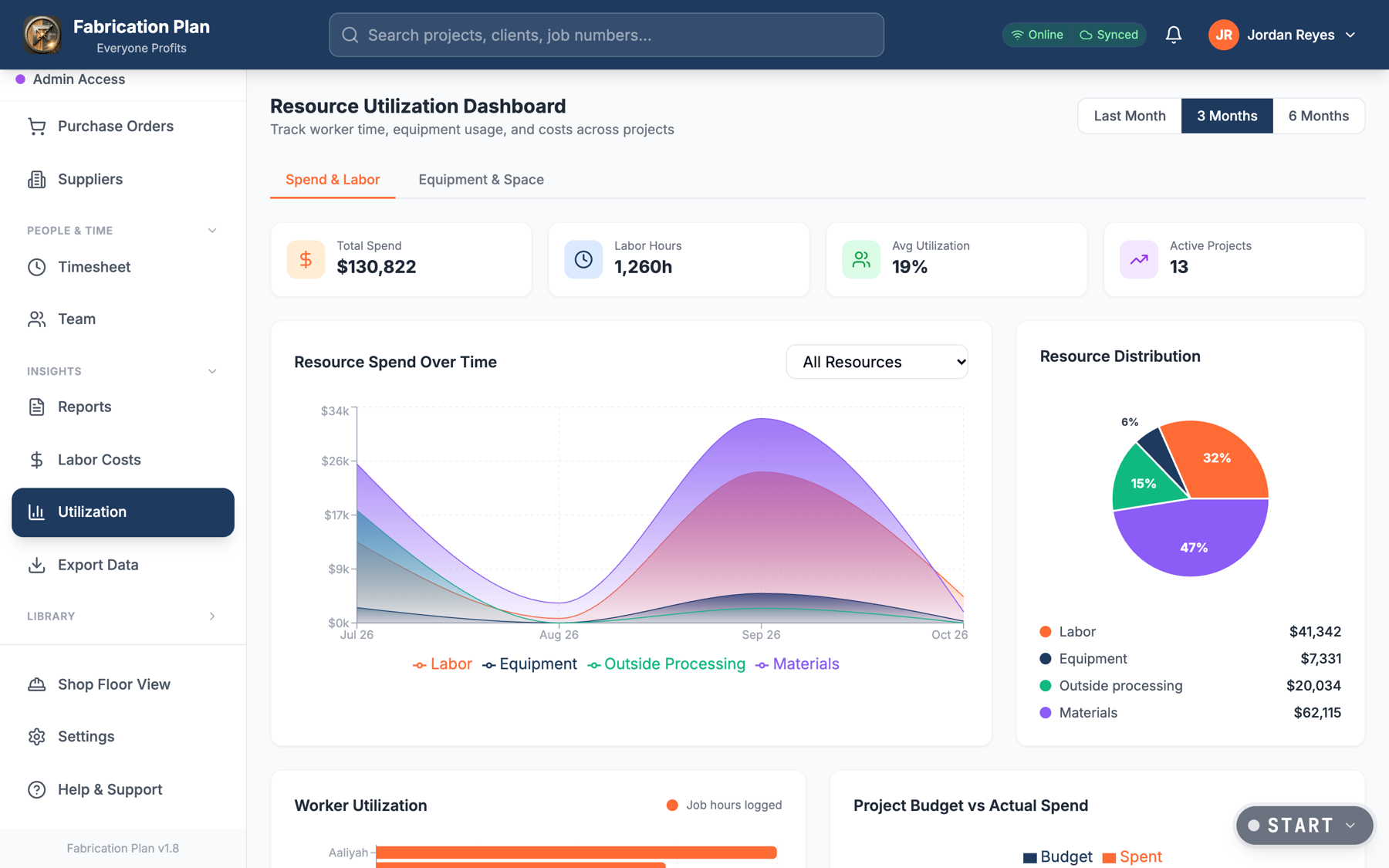
After - Fixed
The iPhone camera starts right up
The scanner no longer gets stuck on "Camera starting…" on iPhones.
- New
Waste factors that learn
Set a waste percentage per item, and Fabrication Plan suggests one based on your shop's real scrap history.
- New
Estimated vs. actual waste
See whether a job wasted more or less material than you planned, and quote the next one better.
- Better
Scrap counts in job cost
Scrap is now part of every job's material cost, figured the same way everywhere, so your margins are real.
- Fixed
Estimates saving again
An update briefly stopped estimates from saving. We caught it, fixed it, and now double-check every update against the live system before it ships.
- Design
A cleaner, grouped menu
The sidebar is grouped into clear sections, and Resources is now called Utilization, which is what it actually shows.
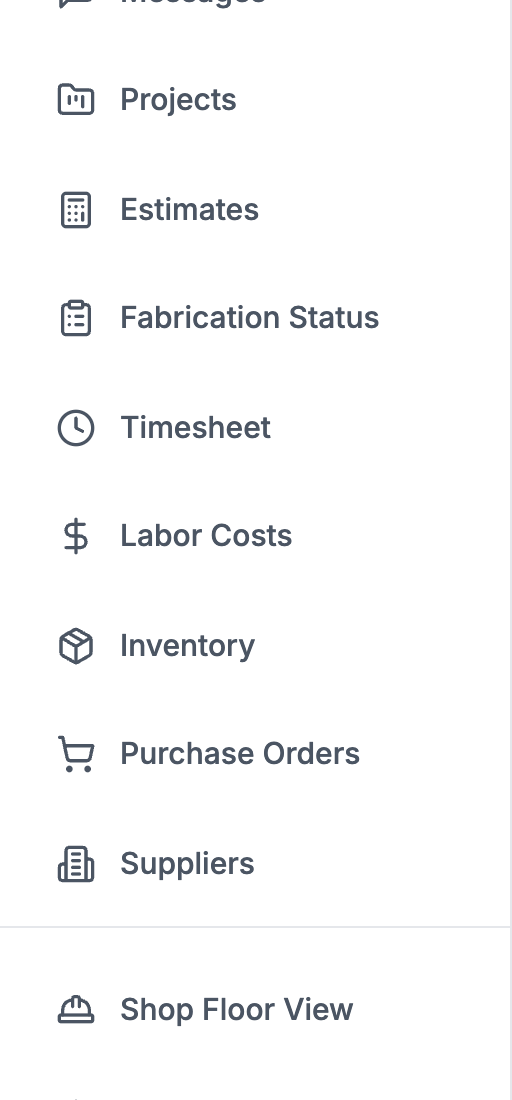
Before 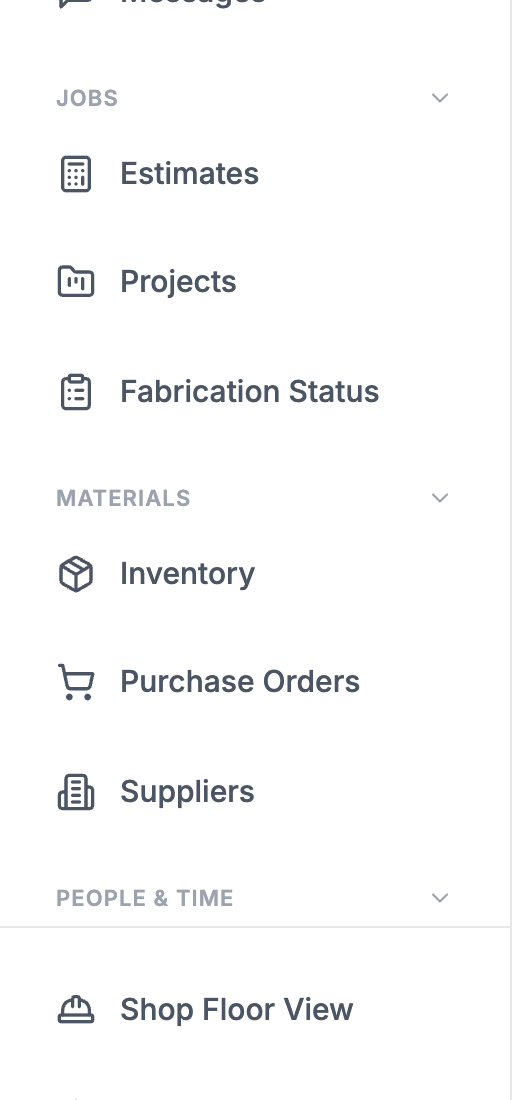
After - Better
Translations that know your trade
Shop terms like Jobs and Reports are pinned to the right word in every language, in the app and in its Help articles.
See it in your own shop.
30 days free. Every feature on this page, every seat.